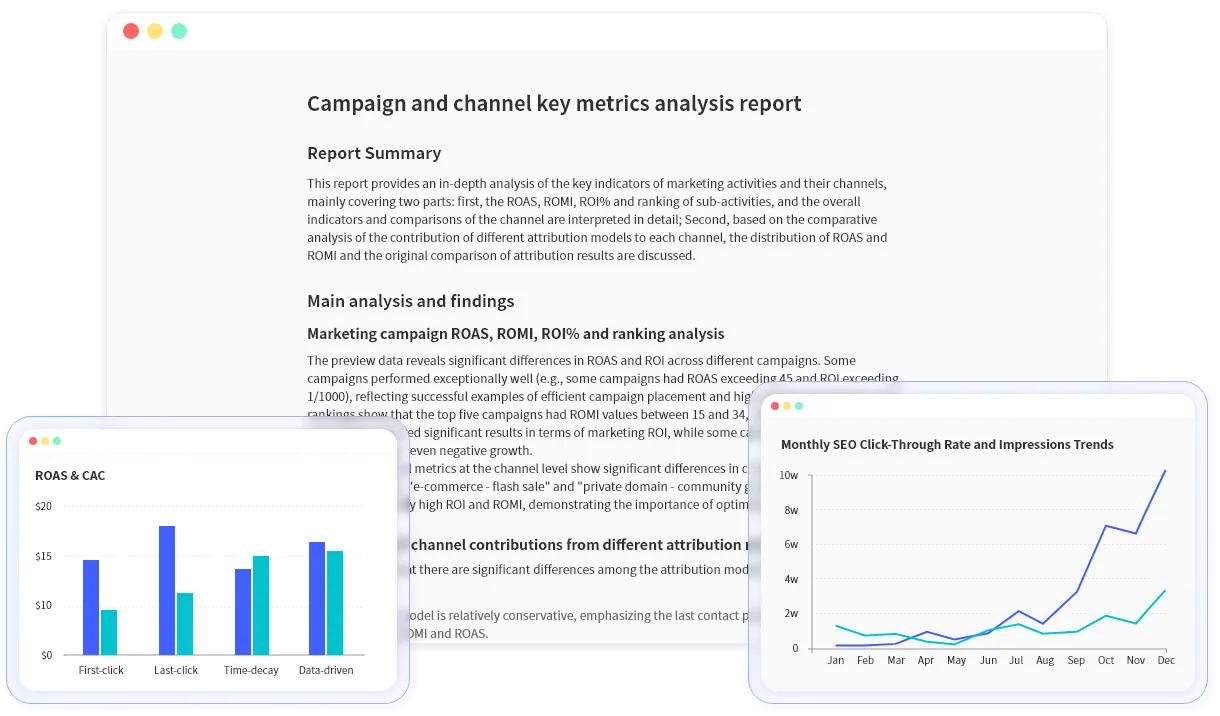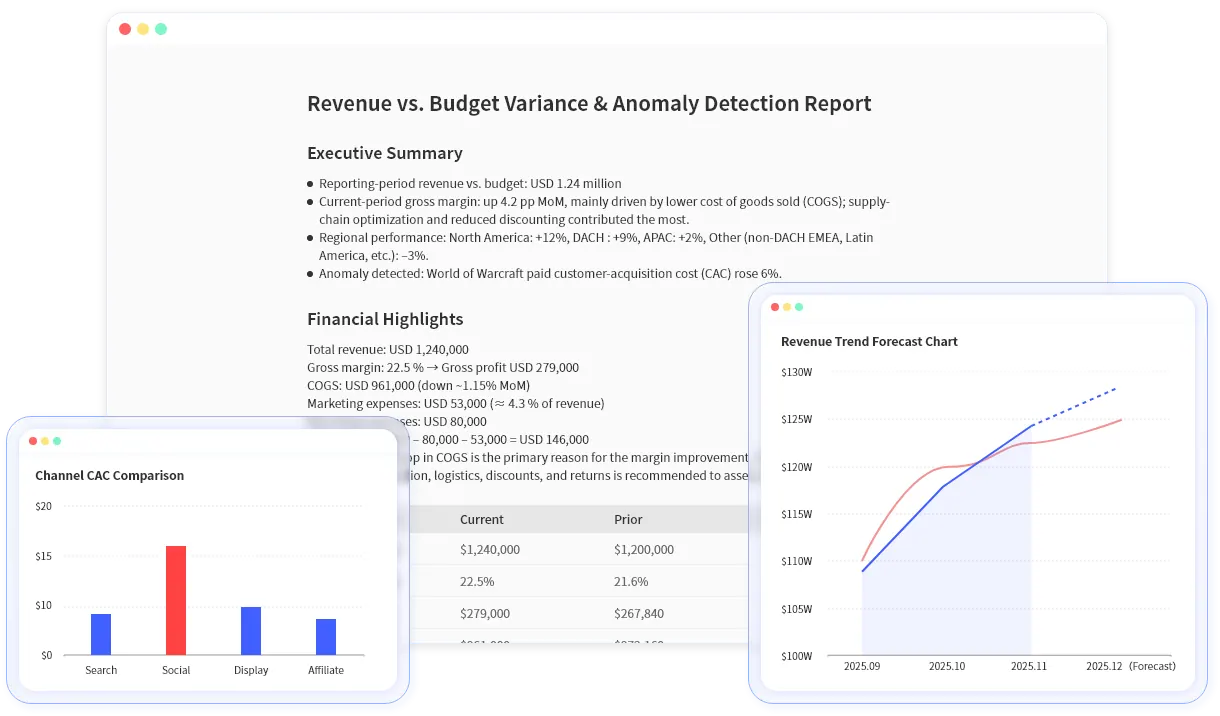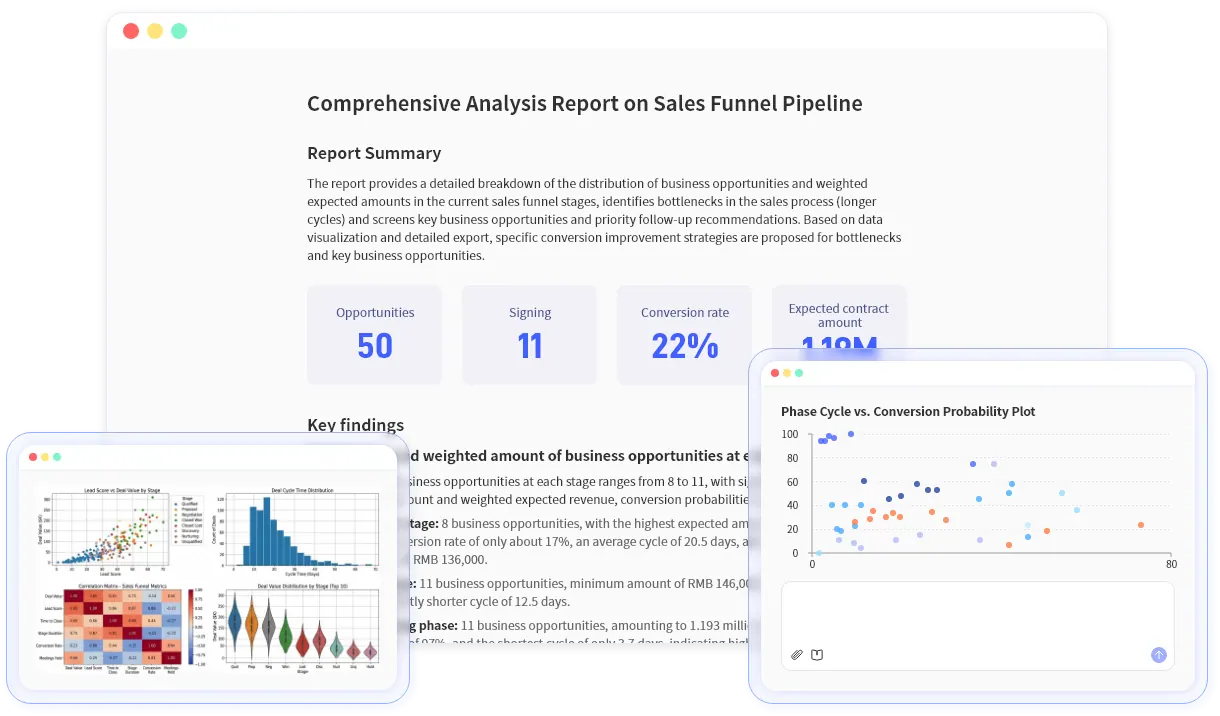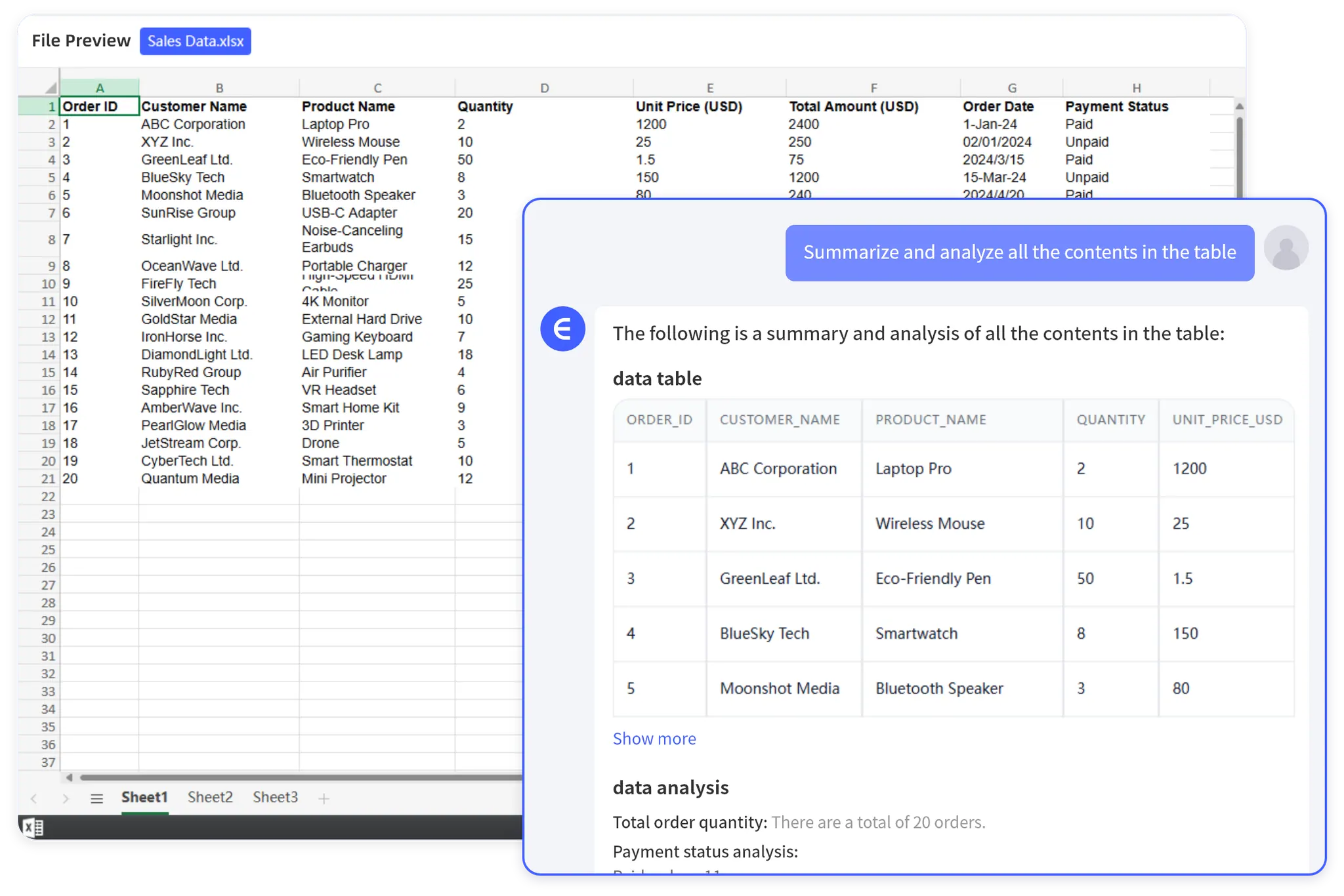
Let Rows Speak

Excel AI Agent for Data Analysis, Charts, Reports and Dashboards

Upload Excel, CSV, PDF, image tables, or messy business exports. Ask questions, analyze data, create graphs, build dashboards, and generate reports in one reviewable workflow.

Analyze a spreadsheet

No credit card required · Supports Excel, CSV, PDF, screenshots, and exported business reports. Outputs charts, dashboards, summaries, and report-ready tables.

Excel AI Agent for
OUTPUTS YOU CAN USE

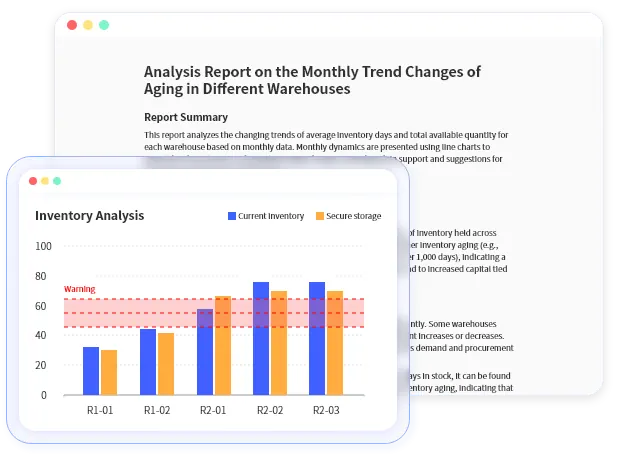
From one business file to charts, dashboards, insights and report.

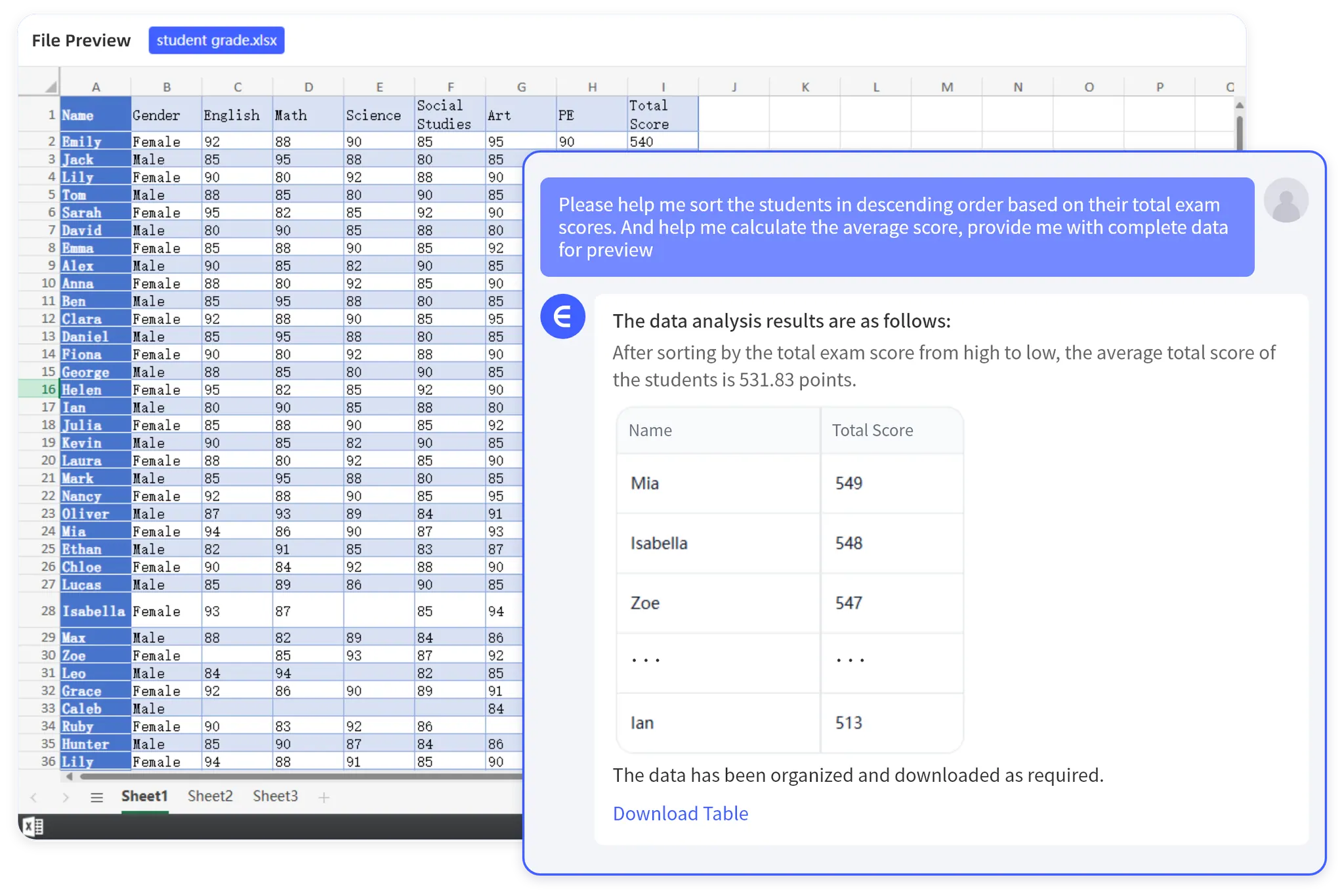
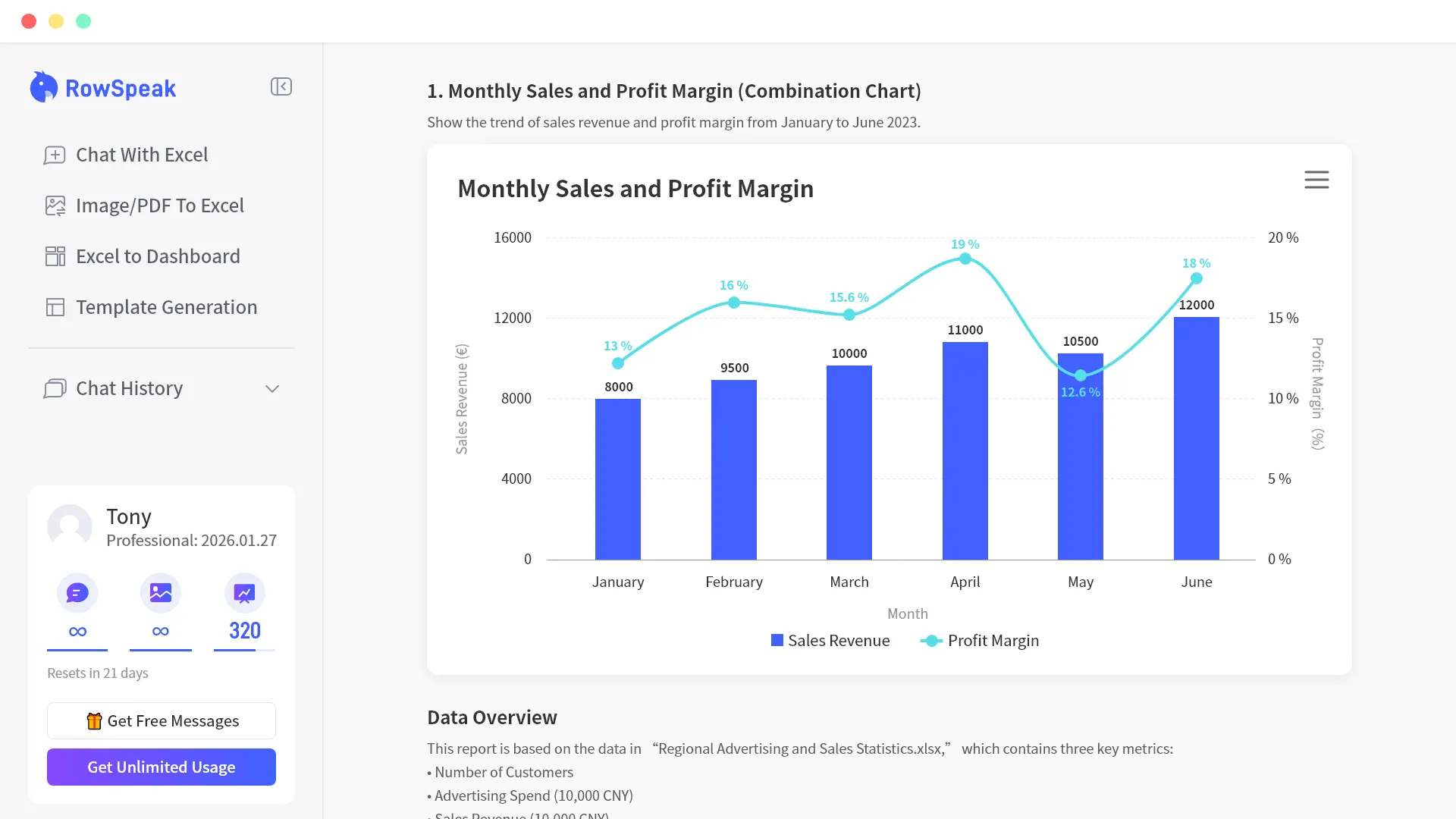
Upload Excel, CSV, PDF tables, screenshots, or pasted data. RowSpeak turns them into reviewable visuals, KPI views, pattern explanations, and summaries you can edit before sharing.

rowspeak.ai/app/sales_export_q4.csv
RowSpeak

Sales Export Q4 Analysis

West $58.4K +18%
East $46.8K +11%
North $39.6K +7%
South $28.9K -3%

Revenue by Region

Charts & Data Visualizations
$60K $48K $36K $24K $12K $0
WestEastNorthSouth

AI Explanation Panel

West grew 18% after campaign spend increased.

Auto-generated visualizations that highlight trends, ready to drop into your next meeting.

Review assumptions Change chart type Export summary

No pivot-table setup. No BI warehouse. Review the logic before you share.

How RowSpeak works

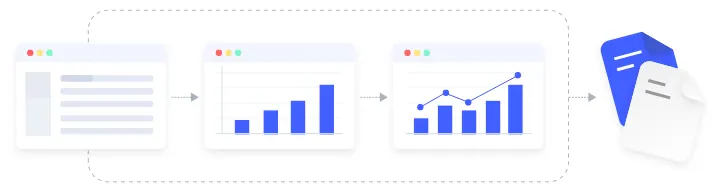
From raw spreadsheet exports to repeatable business workflows.

1

Upload Excel files, CSVs

Upload Excel files, CSV exports, PDF tables, screenshots, or business reports

Upload Excel files, CSVs
2

Clean and understand the file

Ask in natural language; AI structures data sources and prepares metrics.

Clean and understand the file
3

Analyze, report, and repeat

Create charts, dashboard views, summaries, and reports; review assumptions and rerun

Analyze, report, and repeat

Not just a chatbot. Not just a graph maker.

RowSpeak is built for spreadsheet-heavy business workflows: upload files, ask questions, create visuals, review assumptions, and reuse the output.

Excel / Sheets RowSpeak ChatGPT / Gemini Traditional BI
Handles messy operational spreadsheets Manual Built for this Unreliable Heavy setup
Fast to a useful first result Slow Fast Fast Slow
Output is ready to review and share Manual Report-ready Mostly chat text Strong
Repeatable workflow for recurring work Manual rebuild Workflow-oriented Hard to standardize Config-heavy
Easy to correct when logic is wrong Manual Easy to refine Prompt-based Config-heavy

Why not just use ChatGPT or Gemini?

General AI is useful for one-off questions. RowSpeak is built for repeatable spreadsheet work your business depends on.

01

Built for messy business files

Generic AI works best when the data is clean and the question is simple. RowSpeak is designed for real spreadsheet exports: inconsistent headers, missing values, mixed formats, multiple sheets, and business-specific fields.

02

More than one-off answers

RowSpeak helps turn recurring analysis into repeatable workflows. Clean the data, calculate metrics, explain changes, generate summaries, and export reports without rebuilding the process every time.

03

Outputs your team can review

Instead of leaving insights inside a chat thread, RowSpeak creates reviewable outputs: summaries, tables, dashboards, and reports that teams can share with finance, sales, operations, and leadership.

VALUE PROPOSITION

What RowSpeak handles from day one

Cleans messy spreadsheet data

Upload Excel, CSV, PDF tables, screenshots, or exported reports. RowSpeak helps identify headers, fields, dimensions, measures, and likely business meaning.

Data mapping visualization

Runs repeatable analysis workflows

Move beyond one-off answers. Clean the data, calculate metrics, explain changes, generate summaries, and reuse the workflow next time.

Finds the numbers and patterns that matter

RowSpeak infers key metrics, detects anomalies, highlights trends, and organizes results around business questions — not just raw tables.

Generates business-ready outputs

Instead of stopping at chat, RowSpeak produces charts, summaries, dashboards, and report structures your team can review and share.

Lets users correct key mistakes quickly

If revenue includes refunds, if the wrong chart is chosen, or if the grouping dimension is off, users can fix the important parts without rebuilding the whole workflow.

Built for the messy spreadsheet reality of business teams

Messy file understanding

  • Complex CSV and Excel parsing
  • Inconsistent field name handling
  • Data cleaning and normalization

Business-aware analysis

  • Metric inference
  • Trend identification
  • Outlier and anomaly detection

Report-quality output

  • Clean chart generation
  • Written summaries and takeaways
  • More useful structure for business review

Lightweight correction

  • Fix field mappings
  • Adjust metric assumptions
  • Change chart types

Reviewable outputs, not black-box guesses

Business teams need AI they can inspect, correct, and trust. A model may confuse refunds with revenue, choose the wrong chart, or group the report by the wrong dimension. RowSpeak is designed for that reality.

  • Choosing the correct revenue field
  • Excluding refunds from topline metrics
  • Switching from region to channel
  • Changing a bar chart to a line chart
  • Narrowing the analysis window
Q4 Revenue Analysis
AI Generated
JanFebMarAprMayJun
Visualization
Bar Chart
Line Chart
Area Chart
Data Source
Gross Revenue Net Revenue

Built with business data sensitivity in mind

RowSpeak is used on operational and financial spreadsheets that often contain sensitive information. That's why trust, access control, and careful data handling matter from the beginning.

SOC 2 Type II

Certified security practices and data management.

GDPR & CCPA

Full compliance with global privacy standards.

End-to-End Encryption

Data encrypted both in transit and at rest.

SSO/SAML

Coming soon

Enterprise-level identity and access management.

On-Premises Deployment

Deploy RowSpeak within your own infrastructure for full data sovereignty. Learn More →

Trusted by data leaders

"I used to spend hours just formatting CSVs before I could even start analyzing. With RowSpeak, I drop in the raw, messy export and get a board-ready chart in two minutes."

Alex Rivera

Alex Rivera

HEAD OF OPERATIONS

"We used to wait three days for the data team to pull a simple campaign report. Now my marketing team does it themselves over morning coffee. It's completely unblocked us."

Jordan Smith

Jordan Smith

GROWTH MANAGER

"ChatGPT gives me text answers I have to double-check. RowSpeak gives me a formatted report where I can actually see and tweak the logic via the UI. It's AI I can actually trust with numbers."

Elena Rodriguez

Elena Rodriguez

FINANCE LEAD

"I hate playing 'prompt engineer' trying to get a chart right. RowSpeak gets it 90% there instantly, and the UI lets me fix that last 10% with two clicks. Brilliant."

Marcus Chen

Marcus Chen

FOUNDER

"I don't want a data tool; I want a slide for my Monday meeting. RowSpeak turns our weekly sales dump into a clean, presentation-ready dashboard before I even finish typing."

Sarah Jenkins

Sarah Jenkins

E-COMMERCE DIRECTOR

"I don't know SQL, and I'm terrible at Excel pivot tables. RowSpeak makes me look like a data wizard to my boss. It's literally saved me 10 hours a week."

David Miller

David Miller

STRATEGY & OPS

Excel AI Tool FAQs

Everything you need to know about AI Excel analysis, chart generation, and data analysis reports.

An Excel AI agent is an AI system that helps you work through spreadsheet tasks end to end, not just answer one question. RowSpeak can read Excel, CSV, PDF tables, and pasted data, then help clean fields, calculate metrics, create charts, explain changes, and generate reusable analysis outputs.

Yes. RowSpeak can work as an AI graph maker for spreadsheet data. You can upload Excel or CSV files, paste a table, or use extracted PDF table data, then ask RowSpeak to create bar charts, line charts, pie charts, KPI visuals, and other business-ready graphs.

Yes. AI can create graphs from Excel data by understanding the columns, measures, categories, and trends in your spreadsheet. RowSpeak helps choose suitable chart types, generate the visual, and explain what the graph shows so the result is easier to review and share.

Yes. RowSpeak can turn Excel exports and CSV files into dashboard-style KPI views. Instead of manually rebuilding charts and summaries, you can ask RowSpeak to organize key metrics, create visuals, and produce a dashboard-like output your team can review and reuse.

ChatGPT is a general-purpose AI assistant, while RowSpeak is built for spreadsheet-heavy workflows. RowSpeak focuses on file upload, data structure, metric calculation, graph generation, assumption review, and reusable business reporting, which makes it more practical for Excel data analysis tasks.

Excel Copilot works inside Microsoft Excel and is useful for in-sheet assistance. RowSpeak is designed for broader business files and workflows, including Excel, CSV, PDF tables, image tables, pasted data, charts, dashboards, and report-ready summaries that can be reused outside a single workbook.

Yes. RowSpeak can help analyze PDF tables, screenshots, and image-based tables by extracting structured data where possible and turning it into charts, summaries, and business insights. This is useful when important data lives outside clean Excel files.

The best AI for Excel data analysis depends on the workflow. If you only need formula help, an in-spreadsheet assistant may be enough. If you need to upload messy files, ask business questions, create graphs, inspect assumptions, and generate reports, RowSpeak is designed for that broader analysis process.

RowSpeak is not a traditional BI tool. It is lighter and faster for file-based analysis workflows where teams need to turn Excel, CSV, PDF tables, or pasted data into insights, graphs, dashboards, and reports without building a full BI stack.

For many quick analysis tasks, yes. RowSpeak can summarize data, group categories, compare segments, create charts, and explain changes without manually building pivot tables. For highly customized spreadsheet models, pivot tables may still be useful.

Yes. RowSpeak can analyze historical Excel, CSV, PDF table, or pasted data to surface trends, seasonality, anomalies, segment changes, and other patterns that help explain what changed over time.

You can upload Excel files, CSV exports, PDF tables, screenshots, image-based tables, and pasted data. RowSpeak is especially useful for messy business exports that need cleaning, analysis, charts, dashboards, or report-ready summaries.

RowSpeak is not a live real-time dashboard platform. It is built for file-based analysis and dashboard-style outputs from spreadsheets and business exports. For continuously refreshed operational dashboards, a traditional BI or data warehouse setup may still be the better fit.

Still have questions?

Contact our support team

Turn your next spreadsheet into a business-ready report.

Start with the files you already have. RowSpeak helps clean messy data, run analysis workflows, and create outputs your team can use.

No credit card required No warehouse setup Start with existing files